

Odoo upgrade
Odoo Upgrade Impact Scan
Know what it takes to upgrade to Odoo 19 or 20. Work with an experienced Odoo partner to identify compatibility issues, required changes and estimated costs, so you can plan your upgrade with confidence.
Top-selected Odoo Partner in Australia
ISO 9001:2015 certified (JAS-ANZ accredited certification)
100+ Odoo projects delivered across industries and multi-system operations
7+ Odoo-Certified Experts skilled in complex upgrades and implementations
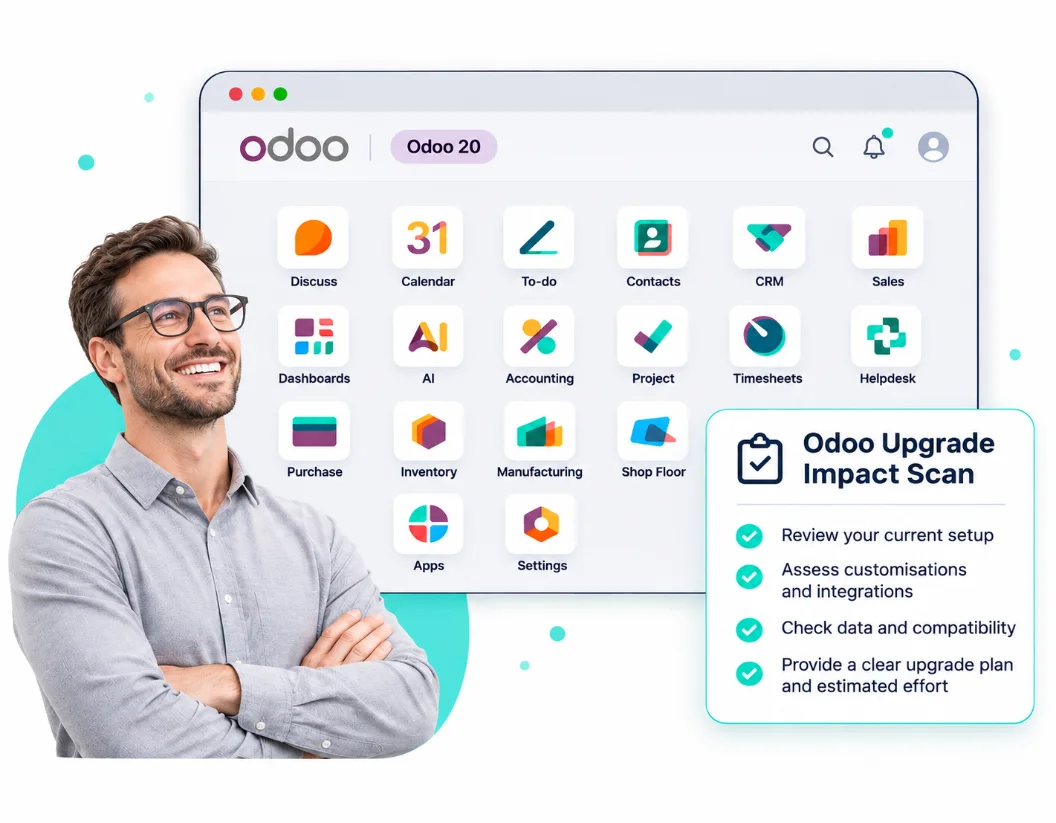
An Odoo upgrade is free for eligible Enterprise customers: Odoo's standard service converts your database to a newer version. But it doesn't update your customisations, re-test integrations, resolve data migration issues or retrain your staff. Havi's Upgrade Impact Scan shows you which parts of your system need work and what it may cost, before you commit to an upgrade date.
Who it is for
Do you need the scan?
Odoo 16 or 17, any hosting
Standard support has ended. Extended support on Odoo.sh and on-premises may cost an extra 25%. Review your upgrade options now to avoid additional costs.
Odoo 18, with Field Service, Payroll or heavy customisation
These are key areas to review, especially with Field Service now integrated with Planning in Odoo 20.
Odoo 18 or 19, Odoo.sh or on-premise, with custom modules or integrations
Custom modules and integrations may need changes or re-testing. Get a clear view of the work, risks and costs before upgrading.
Odoo Community, with custom modules or integrations
Assess your Community setup, custom modules and integrations to plan a smooth upgrade.
Odoo 19, lightly customised
A 30-minute call first; we will tell you if a scan would not pay for itself.
What you get
Know what's involved before you upgrade
Get a clear report within 10 business days of your scheduled scan, outlining upgrade impacts, estimated costs and recommended next steps.
What we do
Run a test upgrade on a copy of your Odoo database to identify potential issues.
Review customisations, including Studio changes, automated actions, custom reports, email templates and spreadsheets.
Check custom code and third-party modules for Odoo 20 compatibility.
Review how Odoo's updated pricing and light-user options may affect your licence costs.
Review integrations, carriers and scanners, and prepare a re-test plan.
What you receive
A recommendation for each custom module: keep, update, rebuild or replace, with an estimated cost range for each.
Estimated licence costs based on actual user activity, including eligible light users.
Integration and hardware compatibility checks, including EDI, bank feeds, payroll and connected devices.
Our recommended upgrade version (Odoo 19 or 20), suitable go-live window and estimated cutover time.
A summary of what will change for your users, broken down by role.
See what your upgrade involves before you commit to a date.
Book a slotHow it works
Your upgrade impact scan in five steps
Request a Scan
Submit your request. We'll confirm the scope, pricing and next steps before you proceed.
Share access
We'll guide you in sharing read-only access to a database copy or backup, plus details of connected systems and devices.
Discovery call
We discuss your key workflows, business priorities and preferred upgrade timing.
The scan
We assess your database, custom code, third-party modules and integrations. Your live system remains untouched.
The report
Receive your findings and recommendations, with a 45-minute walkthrough available if needed. The report is yours, even if you don't upgrade with Havi.
Ready to see what your upgrade involves?
Pricing & terms
Clear pricing, no commitment to upgrade
Know the cost upfront, with no obligation to proceed with an upgrade.
Scan pricing
Scan pricing depends on your custom modules and Odoo setup. Larger or multi-company environments are quoted separately.
Booking & payment
Submit your request first. We'll review your Odoo setup and confirm the scope and fee before payment and scheduling.
Scan fee credit towards your upgrade
If you book your Odoo upgrade with Havi within 90 days of receiving your Scan Report, we'll deduct the full Scan fee from your upgrade cost.
Questions
Common Questions About Your Upgrade Impact Scan
1.
Will the Scan affect our live Odoo system?
No. We work on a copy or backup of your database, using read-only access where applicable. Your live system remains untouched.
2.
What if you recommend staying on 19, or not upgrading yet?
We'll explain why in your report and recommend when to review your upgrade options again. You pay for an independent assessment, not a recommendation to upgrade.
3.
What if we don't upgrade with Havi?
The report is yours to keep and use for your upgrade planning, whether or not you proceed with Havi.
4.
Do we need a Scan if we're using Odoo Online?
Usually not, if you're using Odoo Online without custom modules or integrations. Odoo handles the standard upgrade.
5.
How much does the Upgrade Impact Scan cost?
Pricing depends on your Odoo setup, custom modules and integration requirements. We'll review your request and confirm the scope and fee before you proceed. There's no payment required when submitting your initial request.
6.
How will Havi handle our Odoo data during the Scan?
We work with a copy of your Odoo database in a test environment, without making changes to your live system. We'll confirm the access requirements and data-handling arrangements before the Scan begins.
Request a scan
Know what your upgrade involves before you commit to a date
Tell us about your Odoo setup. We'll review your requirements and confirm the scope, pricing and next steps.
- Know the Scan scope and fee before you commit.
- Your live Odoo system remains untouched.
- 100% Scan fee credited towards your Odoo upgrade with Havi.
- The report is yours, whether or not you upgrade with Havi.
Or reach us directly
info@havi.com.au 1300 696 366(within Australia) +61 2 8379 1239(outside Australia)

Thank you for messaging us
You message has been sent.
We will get back to you shortly.
